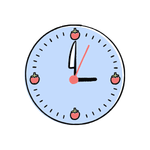
Pomodoro Timer Chrome Extension

Pomodoro Timer Browser Extension

Built for Real Focus Blocks

The Simple Pomodoro Timer brings focused work into your browser with a clean, distraction-free toolbar timer. Furthermore, work and break intervals are pre-configured and easy to customise. Therefore, deep work sessions, study blocks, and creative sprints stay structured — without juggling a separate desktop app.

Get the extension: Add to Chrome

Built for Real Focus Blocks

01

Toolbar-Native Timer

The countdown lives in the toolbar badge so the current state is always visible. Furthermore, the popup adds quick controls — therefore, starting, pausing, or resetting a session never requires switching to a separate window or app.

02

Custom Work & Break Intervals

Adjust focus, short break, and long break lengths to match how you actually work. Moreover, long breaks slot in after a configurable run of focus sessions — consequently, the rhythm matches your energy instead of a rigid template.

03

Gentle Notifications

Subtle sounds and desktop notifications announce phase changes without breaking concentration. As a result, you stop watching the clock and trust the timer — which is exactly what the Pomodoro technique was designed to do.

Your Day, Without It vs With It

Without

Drifting work, forgotten breaks

  • Losing track of time inside a deep task and burning out.
  • Skipping breaks until energy completely collapses.
  • Juggling a separate timer app on the desktop or phone.
With Pomodoro Timer

Structured rhythm, sustained energy

  • Visible countdown in the toolbar throughout every session.
  • Automatic short and long breaks at the right cadence.
  • Gentle notifications that protect, not interrupt, focus.

Moments It Saves Your Day

Developer · Deep Work

Shipping a feature without context drift

You start a focus block, code without checking chat, and rest at the buzzer. Furthermore, the long break lands exactly when fatigue creeps in — therefore, the feature ships clean instead of being patched all afternoon.

Student · Exam Prep

Studying a difficult chapter end to end

You commit to focus rounds with short breaks between each. Moreover, the visible badge keeps you accountable — consequently, the chapter is read attentively instead of skimmed under the pressure of a last-minute deadline.

Writer · Drafting

Building a long-form draft in clean blocks

You alternate writing sprints with quiet breaks for a clear mind. In addition, notifications gently signal phase changes — therefore, the draft grows steadily without slipping into endless tinkering or research detours.


Capabilities at a Glance

Toolbar Countdown Badge Start / Pause / Reset Custom Focus Length Custom Break Length Long Break Cadence Desktop Notifications Optional Sound Skip Phase No Account Needed Local Storage Works Offline Lightweight Popup

Technical Specifications

Supported Browsers
Chromium-based browsers including Chrome, Edge, Brave
Permissions
Alarms, notifications, and local storage
Display
Toolbar badge plus controls inside the popup
Notifications
Native desktop alerts with optional sound
Offline Capability
Fully functional without an internet connection
Account
None — installs and runs anonymously
Setup
None — install and use immediately
Update Channel
Automatic via the official browser web store

Frequently Asked Questions

Yes. The countdown is driven by a background alarm and reflected in the toolbar badge. Furthermore, the popup only displays the current state. Therefore, you can close it immediately and trust the timer to fire on schedule, even when you are deep inside another tab or application across the workspace.
Yes. Focus, short break, and long break durations are all configurable from the popup. Moreover, the cadence at which long breaks appear can be tuned to your preferred routine. Consequently, the rhythm fits the way you actually work, not a rigid one-size-fits-all template that has nothing to do with your day.
No. Phase-change notifications are intentionally subtle, and the optional sound can be muted. Furthermore, the toolbar badge gives you a silent at-a-glance signal. Therefore, the timer protects focus instead of breaking it, which is the entire point of running a Pomodoro routine inside a browser tab.
Yes. The timer runs entirely inside the browser. Therefore, focus sessions continue normally on flights, in cafes with patchy Wi-Fi, or in any environment without a stable network. Moreover, no syncing or telemetry happens in the background, so the experience stays identical online and offline.
No. Settings stay in local storage and the timer state never leaves your device. Furthermore, no analytics or browsing history are collected. Consequently, you can run focus sessions while logged into sensitive dashboards without any concern about leaks, third-party tracking, or unexpected outbound network traffic from the extension itself.
Yes. The popup includes start, pause, reset, and skip controls. Therefore, sessions stay in your hands instead of becoming a rigid system that punishes you for changing plans. Moreover, the timer resumes the normal cadence after a manual skip, so the routine recovers naturally from interruptions.
Right-click the toolbar icon and choose Remove, or open the browser extensions page and remove it from there. Furthermore, locally stored settings are cleared with it. Therefore, no leftover files remain. Consequently, reinstalling later starts from a clean state, exactly as if it were a fresh first install.